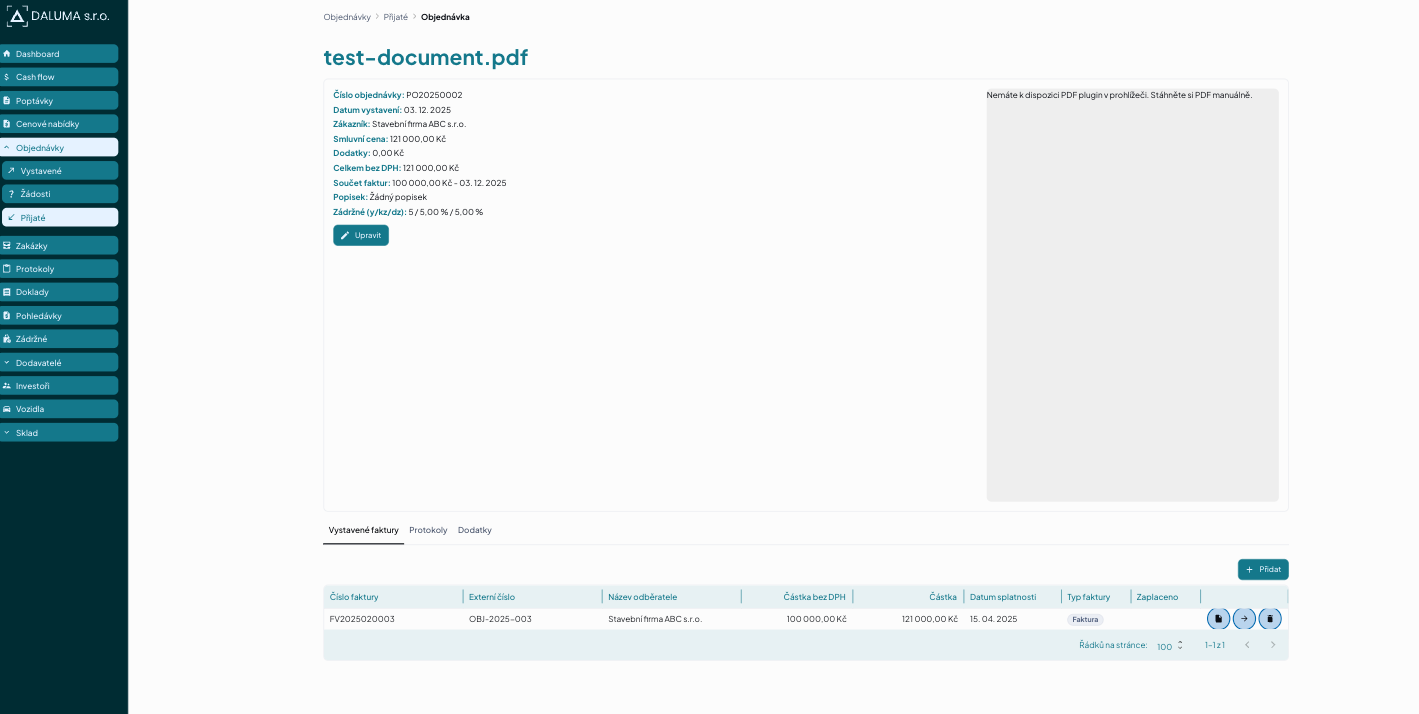
061 — Manually pair invoice without orderNo (Ruční přiřazení)
Description
For invoices with no orderNo, UI supports manual pairing. Verifies add/remove flow and that the invoice is flagged as manually paired.
Preconditions
- Clean database
- User logged in with ADMIN and ACCOUNTING roles + user signature set up
- Accounting entity
Stavební firma ABC s.r.o.(ID 12345678) created - Contract branch 2025020, price 121 000 Kč
- Received order with externalNumber
MANUAL-TEST - Invoice FV2025020003 has no orderNo (will not auto-pair)
Steps
- Navigate to received order detail — Expected: FV2025020003 not displayed (no auto-pair)
- Click add invoice and select FV2025020003 — Expected: Invoice added, flagged as manually paired
- Click remove and confirm — Expected: Manual pairing removed
Related
- Spec:
tests/e2e/tests/orders.spec.ts
Media